Opening Systems
Kershaw folders offer many options for opening. Here is a guide to the mechanisms and the mechanics on the inside and outside. For closing a Kershaw folder, refer to Lock Types.
Opening Action
The opening action is determined by the internal mechanisms around the folder's pivot. Kershaw pocketknives provide smooth opening action using a variety of opening mechanisms.
Assisted Opening
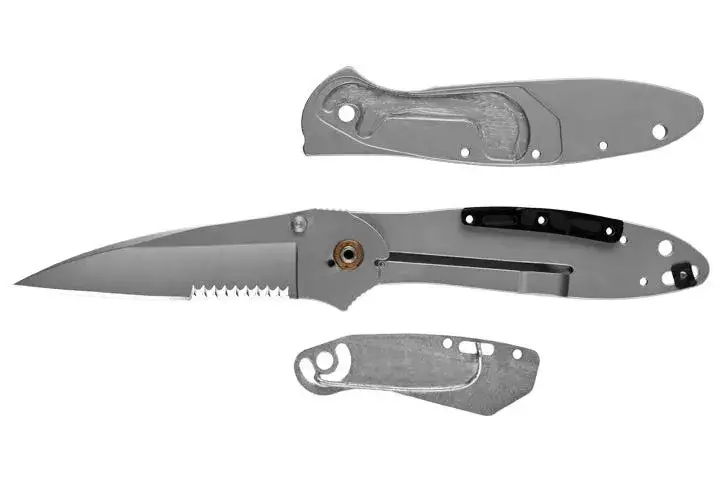
Kershaw launched a revolution with their assisted opening. When closed, a torsion bar in the handle creates a bias toward the closed position. When opening, the torsion bar adds to the pressure from your finger and pushes the blade open.
Automatic Out the Front (OTF)
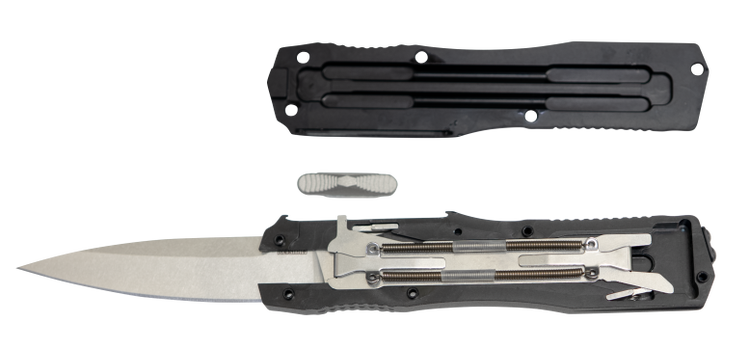
Automatic out-the-front knives deploy and retract the blade straight through the front of the handle using a sliding button. Sliding the button engages an internal system of springs and locking components that control the blade’s movement, allowing it to open and close quickly with a single motion.
Inside the handle, the blade rides in a precisely machined channel that guides its movement and helps maintain stability when open. Internal locking elements hold the blade securely in both the open and closed positions, while sliding the button loads the springs and drives the blade forward or pulls it back into the handle when the lock is disengaged.
Although the mechanism is complex, it’s designed to work seamlessly and safely, delivering fast deployment, controlled retraction, and secure lockup during use and carry.
Automatic Push Button
A push-button lock holds the blade in place, but under pressure from a torsion spring. When the button is pressed, the pressure is released and the blade opens. The Kershaw Launch series features a selection of these sleek, fast, instant-open knives.
Manual with KVT Ball Bearings
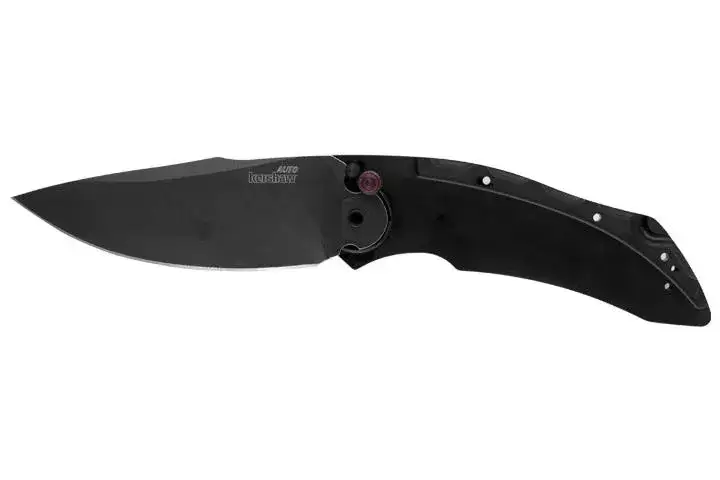
Relies on a ring of “caged” ball bearings that surround the knife’s pivot and enable the blade to move out of the handle smoothly. KVT makes opening manual knives as smooth, easy, and often as fast as assisted opening.
Manual Out the Front (OTF)
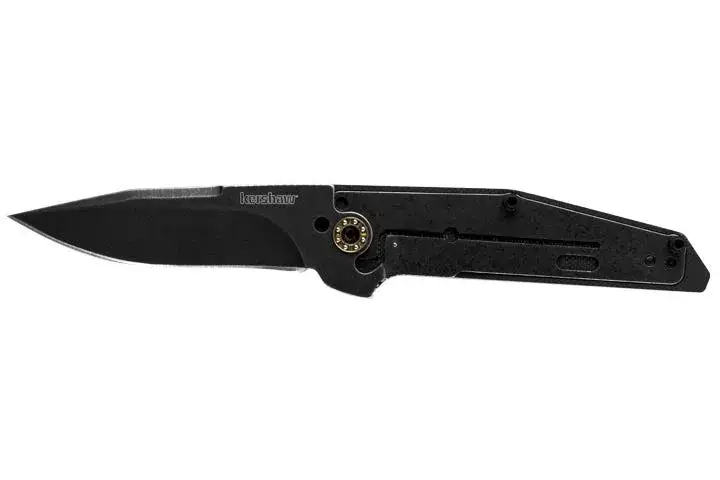
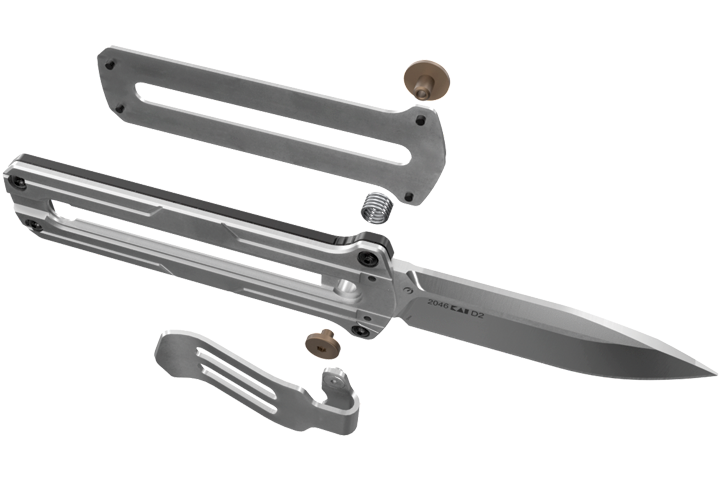
With manual out-the-front knives, the blade moves straight out the front of the handle using a sliding button. Inside the handle, the blade rides in a channel and is held securely in the open and closed positions by a locking pin. Pressing the button disengages this lock, allowing the blade to slide forward or back.
Manual with Washers
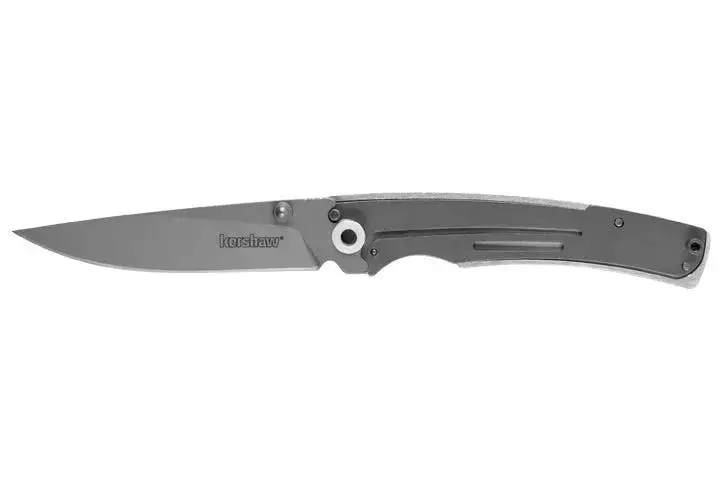
No springs or torsion bars, these folders rely on washers for a simple, smooth pivot open.
Slipjoint
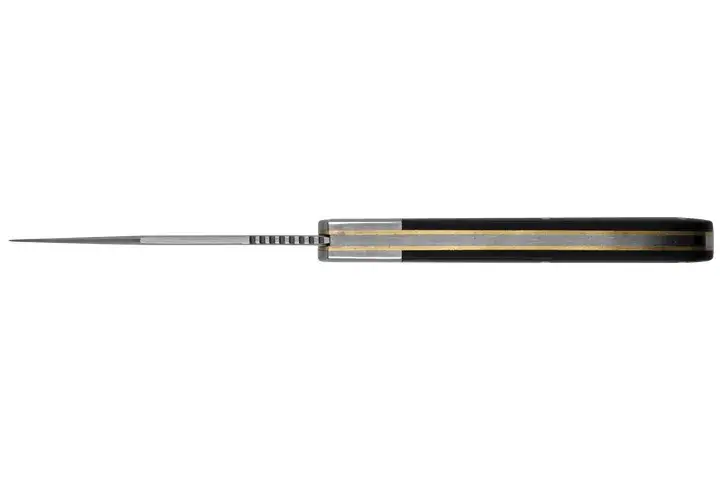
These folders have a tension rod that presses against the internal back of the blade that biases the blade toward the open and closed positions.
On some slipjoints, this detent presses against the back of the blade. Some press on the side of the blade, often with a small ball and groove to provide the bias to the open and closed positions.
How to Open a Kershaw Knife
There are different ways to open your pocketknife, depending on its external mechanism. Here's how to open Kershaw knives with our most common mechanisms.
Automatic Out The Front (OTF)
The automatic out-the-front mechanism deploys the blade straight out of the front of the handle using a thumb slider. It is found on OTF automatic knives.
Opening with an OTF Automatic:
- Hold the knife firmly in one hand with your thumb resting on the thumb slider, keeping fingers clear of the blade opening.
- Maintaining a secure grip on the handle, push the thumb slider forward with steady pressure until the blade locks fully open.
- To retract the blade, pull the thumb slider back toward the handle while maintaining control of the knife.
Automatic Push Button
The push button is found in the handle of the folder near the pivot. It is often used in automatic folders.
Opening with a Push-Button Auto:
- For right-handed use, hold knife vertically in one hand with your thumb against the blade-release/lock button.
- Maintaining a firm grip on the handle, and fingers clear of the blade’s path, push the button firmly straight down.
- For left-handed use, use your index finger instead of your thumb to press the blade-release/lock button.
Flipper
The flipper is a metal extension found at the back of the blade near the pivot. It can be found on both assisted and manual folders.
Opening with a Flipper, Assisted:
- Hold the knife handle vertically in one hand.
- Place your index finger on the top of the flipper.
- Gently apply downward pressure on the flipper.
- SpeedSafe opens the knife quickly and easily, and the blade locks into place.
Opening with a Flipper, Manual:
- Hold the knife handle in one hand with the butt end resting firmly in the palm of your hand.
- Place your index finger on the highest point of the flipper.
- Push down strongly and quickly on the flipper.
- The blade will move out of the handle and lock into place. If you have trouble moving the blade fully out of the handle, add a slight flip of the wrist.
Manual Out The Front (OTF)
The manual out-the-front mechanism uses a sliding button to extend and retract the blade straight out of the front of the handle. It does not use a spring and relies on controlled thumb pressure for operation.
Opening with a Manual OTF:
- Hold the knife firmly in one hand with your thumb resting on the sliding button, keeping fingers clear of the blade opening.
- Press down on the button to disengage the lock, then push the sliding button forward with steady pressure until the blade locks fully open.
- To close the blade, press down on the button again to disengage the lock, then pull the sliding button back toward the handle while maintaining control of the knife.
Nail Nick
The nail nick is a groove in the top of the blade, usually halfway down the length of the blade. It is found on manual folders.
Opening with a Nail Nick:
- Hold the knife handle in one hand.
- With your other hand, hold the blade at the nail nick.
- Slowly open the knife, following the path of the blade until the blade is fully open.
- The blade on most manual folders will lock into position. A slipjoint model will not have a locking mechanism.
Thumb Stud
The thumb stud is a small stud at the top of the blade near the pivot. It may be on one or both sides of the blade.
Opening with a Thumb Stud, Assisted:
- Hold the knife handle vertically in one hand.
- Place your thumb on the thumb stud.
- Gently push outwards on the thumb stud.
- The SpeedSafe assisted opening mechanism opens the knife quickly and easily, and the blade locks into place.
Opening with a Thumb Stud, Manual:
- Hold knife handle in one hand.
- Place thumb on the thumb stud.
- Push outward on the thumb stud.
- Continue pushing and follow as you rotate the blade out of the handle and lock it into place.
Thumb Disk
The thumb disk is a small disk found at the top of the blade.
Opening with a Thumb Disk, Manual:
- Hold knife handle in one hand.
- Place thumb on the thumb disk.
- Push outward on the thumb disk.
- Continue pushing and follow as you rotate the blade out of the handle and lock it into place.
Emerson Wave Shaped Feature®
This is a wave-shaped hook built into the back end of the blade, similar to the flipper.
Opening with an EWSF, Manual:
- Make sure closed knife is snugged up against the rear seam of your pants pocket, tip-up, as shown.
- Reach into the pocket to hold the handle of the knife, keeping your fingers away from the blade.
- Pulling toward the rear seam, withdraw the knife from your pocket quickly and steadily so that the Emerson Wave Shaped Feature hooks on the rear seam of the pocket.
- This will automatically open the blade. By the time it’s fully out of the pocket, the knife will be open and ready for use. Pull back quickly and smoothly to ensure blade lock up.